Blog details



Short answer: WordPress 7.1.4, released on 28 October 2026, is a security release. It fixes CVE-2026-119977, a high-severity flaw in WordPress Core that can allow unauthenticated remote code execution during a full-package core upgrade, plus several other issues in the same package. If your business site still runs WordPress 7.1.3 or older, update to 7.1.4 or the patched release for your branch, then confirm the new version is actually running.
By Mohamed Samy, senior backend developer specializing in Laravel/PHP, with seven years of experience. Published: 15 November 2026. Updated: 15 November 2026.
This is not a penetration test, not legal advice, and not a substitute for official WordPress guidance or a full incident response.
Most business sites I see in Egypt, and many in the Gulf, still run on WordPress: a company brochure, a store, or a site a local developer left running on shared hosting. A general website security checklist for business sites is still worth doing, but it is not this week's job. This article stays on the 28 October 2026 core security release, how to apply it, and how to check the site afterwards. Golden Code builds custom systems from scratch; we do not sell a ready-made WordPress security plugin or publish a fixed package price. If you later want a rebuild, that belongs in our WordPress to Laravel migration guide. The patch itself should not wait for that conversation.
What WordPress released on 28 October 2026
On 28 October 2026 the WordPress security team published WordPress 7.1.4, led by Aaron Jorbin, and asked site owners to update immediately. The same fixes were backported, as a courtesy, to older branches still eligible for security updates, currently back to 4.7. Only the latest WordPress version is actively supported.
| Item | Details from official records |
|---|---|
| Security release | WordPress 7.1.4, 28 October 2026 |
| Main flaw discussed here | CVE-2026-119977 |
| Official wording | A weakness in the upgrade process that can lead to remote code execution during the upgrade window |
| Reported by | Umut Bayram |
| Affected versions | WordPress Core 4.7 through 7.1.3 |
| Fixed in 7.1 | 7.1.4 |
| Severity | CVSS v3.1 8.1 High (AV:N/AC:H/PR:N/UI:N/S:U/C:H/I:H/A:H), as recorded in the NVD entry for CVE-2026-119977 |
| Authentication | None required, according to that record |
| Attack complexity | High |
In plain words: during a full-package core upgrade, WordPress stages files in a predictable path that a web server may also serve. For a short window, an unauthenticated request can lead to code running on the server. I will not describe how to trigger that window, and you should not try to reproduce it on a live site. The official fix is the patched release.
The same 7.1.4 package also fixes other issues listed in the WordPress 7.1.4 documentation: stored cross-site scripting in several blocks and screens, an information-disclosure issue around unpublished Customizer changes, a permissions issue with notes, and a stored denial-of-service issue in the Interactivity API, among others. You do not need a separate update for those if 7.1.4, or the patched release for your branch, has already landed.
Is it being exploited?
Treat this as active, not as a theoretical advisory. On 3 November 2026, the U.S. Cybersecurity and Infrastructure Security Agency added CVE-2026-119977 to its Known Exploited Vulnerabilities Catalog, based on evidence of active exploitation. CISA's alert that day also encourages organisations outside the U.S. federal government to prioritise KEV items. The same date, the Canadian Centre for Cyber Security issued advisory AV26-1117 pointing to that listing.
I will not invent a victim count, a confirmed Egyptian or Gulf compromise, or a score for how often attacks succeed. The CVSS record marks attack complexity as high, and CISA's coordinator note on the NVD page records the impact as total if the attempt works, and not as an automated worm by default. That is still a reason to patch: the dangerous window appears when a core upgrade runs, and an unpatched site can meet that window again the next time someone clicks Update.
CISA's Binding Operational Directive 26-04 is a requirement for U.S. federal civilian agencies, not a legal deadline for a private Egyptian or Gulf company. The reason to patch this week is the official WordPress release and the evidence that led to the KEV listing, not a U.S. government clock.
Who is affected
You are in the affected range if the site is self-hosted WordPress Core from 4.7 through 7.1.3. That includes many company sites that “look fine” and have not been touched since the last content edit. A plugin or theme update is not a substitute for this core fix. The flaw lives in WordPress Core, not in a single add-on.
WordPress documented a patched release for every eligible branch. You do not have to jump from 6.9 to 7.1.4 today if you first apply the security release for the branch you already run, then plan a move to a supported latest version. The official documentation lists the patched release for each branch, including 7.0.8, 6.9.11, 6.8.12, 6.7.11 and others back to 4.7.39. Confirm the row that matches your current version on that page, not from memory.
WordPress 4.6 and earlier no longer receive security updates. If a site is still on one of those versions, this release will not close the hole for you. The practical path is a backup, then a move onto a currently supported WordPress line, or a planned rebuild if the site was already at the end of its life.
Many Egyptian and Gulf business sites live on a shared host or a cPanel-style panel that a developer last opened months ago. The dashboard is still the place to read the version, even if someone else usually logs in. If a local company, a freelancer, or a managed WordPress host runs the site for you, do not assume the patch has landed. Ask which exact version is on production, and whether 7.1.4 or the patched release for that branch was confirmed after the update. Automatic background updates can start the process, as WordPress notes in the 7.1.4 announcement, but they are not proof that the site finished the job.
Six steps to apply the WordPress 7.1 security update
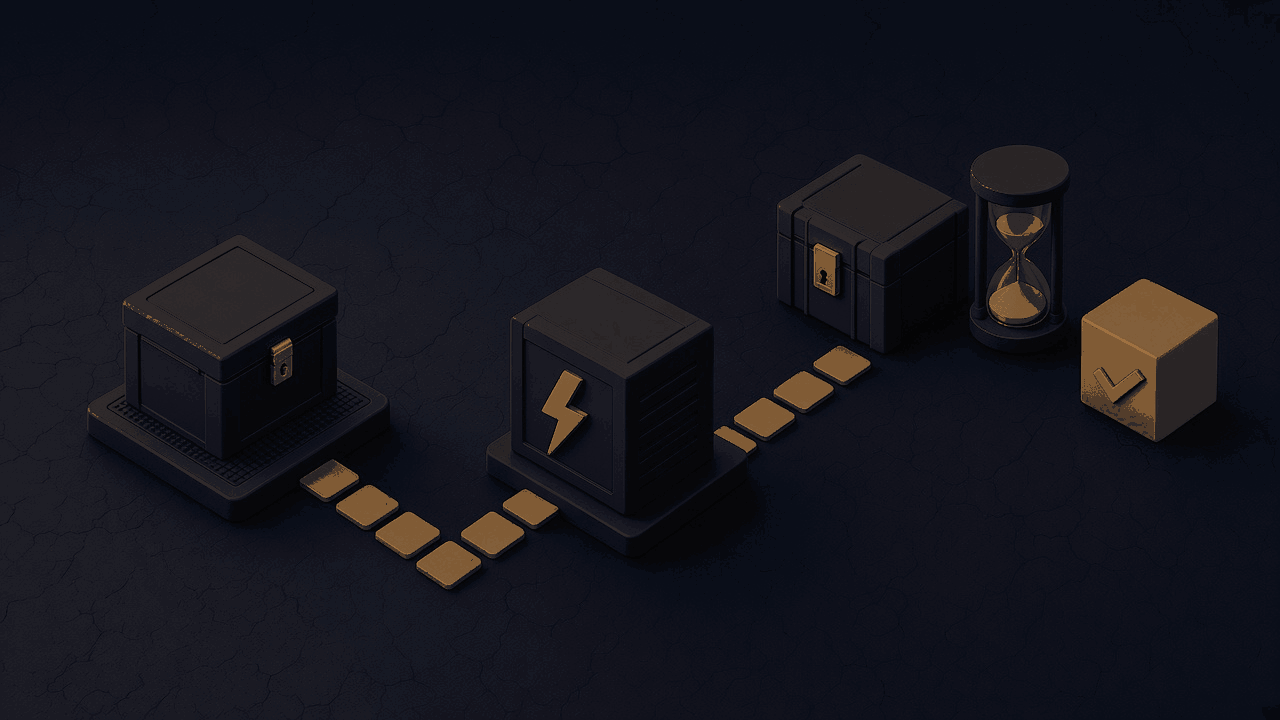
The work is a short path: know the version you have, take a copy you can restore, apply the official patch, confirm it, then look at the site with a calm checklist. It is not a redesign.
Step 1: Check the WordPress version you are actually running
Open the dashboard and read the version on the Updates screen, or on the At a Glance box on the Dashboard. Do not trust a note in a chat from last year. Write down the exact version, including the third number: 7.1.3 is not 7.1.4, and 6.9.10 is not 6.9.11. If you cannot log in, ask the host or the developer who has access to read the version from the filesystem or the host panel, still as a number you can compare with the official list.
Step 2: Take a backup you can restore
Before a manual core update, take a copy of the files and the database, and confirm you know who can restore it. A folder of zipped files that nobody has tested is not a backup. If your host provides a snapshot, note the time and the ticket or panel item that points to it. Official WordPress update guidance also starts with a backup you can actually use.
Step 3: Update to 7.1.4, or the patched release for your branch
On a site that can reach the official update service, use Dashboard, then Updates, then Update Now, as the WordPress 7.1.4 release post describes. If you are staying on an older branch for now, install only the security release listed for that branch in the official 7.1.4 documentation. If the dashboard cannot update, download the matching package from the WordPress releases archive and follow the official update document, or ask the host to apply that exact package. Do not skip a backup, and do not replace the site with a random unofficial zip.
Step 4: Confirm the update finished
Log in again and read the version number. It should match 7.1.4, or the patched release for your branch, not the number you wrote down in step 1. If the site uses more than one PHP handler or a staging copy that later overwrites production, check the production site, not only a local copy. If automatic background updates were enabled, this is the moment to confirm they actually completed. A dashboard that still offers the same update, or a front page that recovered from a brief error but still shows the old version, means the job is not done.
Step 5: Review users, plugins and files after the patch
After a security release that was added to a known-exploited list, take a short look at the site itself. Check the list of administrator users for accounts you do not recognise. Check the plugin and theme lists for anything you did not install. Look for unexpected PHP files in the install, especially around locations used during core updates. If your host keeps web-server logs, review requests around update windows on or after 28 October 2026 that target the upgrade path. I will not turn this into a forensic playbook. If something already looks wrong, start with a hacked-site review and get help rather than hiding the symptoms.
Step 6: Close the leftover gaps
The core patch does not fix an outdated PHP runtime, a weak host, or a site that has had no backup for a year. If the server is still on an unpatched PHP build from the October 2026 PHP security release, treat that as a separate PHP patch, not as part of the WordPress package. If you are on PHP 8.2 and planning the next runtime move, keep that as a longer route, not as a delay for this WordPress patch. Then decide, in writing, who is responsible for the next core update, and whether this site stays on WordPress or needs a later custom build.
PHP is a separate update
A WordPress site still runs on PHP. The 7.1.4 core release is not the same as the PHP security release of 21 October 2026, and patching one does not patch the other. Egyptian and Gulf search suggestions for a WordPress update often sit next to a PHP update, and that pairing is reasonable: two official fixes landed in the same month, on two different layers. Confirm the PHP version on the server, or the version the host shows for the site, against the patched builds in our PHP2Shell CVE-2026-109618 PHP update guide. If you are planning the next runtime move off PHP 8.2, see the PHP 8.2 end of life Laravel upgrade plan. I will not invent a host-by-host status. If the review after the WordPress patch already looks wrong, use our guide to the signs your website is hacked and what to do rather than guessing from the home page alone.
This patch is not, by itself, a reason to migrate
A timely core update is cheaper than a rebuild, and it is the right move this week for a site that otherwise still works. Migration is a different decision: custom checkout rules, a messy plugin stack, or a product the current site can no longer express. That discussion belongs in the WordPress to Laravel article, after the site is patched and backed up. I will not use a security release as a scare tactic to sell a rebuild.
If you want help applying the update, reviewing what is on the server, or scoping a later custom system, we can send you a custom technical quote after a short inventory of the current site and host. We do not publish a fixed package price, and we do not resell a boxed WordPress security product.
Soft next step
If you run a WordPress site for an Egyptian business, or for a Gulf branch of one, write down the production version today, apply 7.1.4 or the official patch for your branch, and confirm the new number on the live dashboard. Keep the backup. Then decide who owns the next update, including PHP.
FAQ
Do automatic updates already protect me?
They help, but only if they completed. WordPress says sites with automatic background updates should begin installing 7.1.4 on their own. You still need to open the dashboard, or ask the host, and confirm the version is 7.1.4 or the patched release for your branch.
I am still on WordPress 6.x, or older. Do I have to jump to 7.1.4 today?
Not as the first move. Apply the official security release for the branch you already run, using the list in the WordPress 7.1.4 documentation. Then plan a move to a currently supported latest version. Versions 4.6 and earlier did not receive a backport, so those sites need a supported line, not a one-file patch.
Is this the same bug as PHP2Shell?
No. PHP2Shell is a pair of critical flaws in PHP itself, fixed on 21 October 2026. CVE-2026-119977 is a WordPress Core flaw in the upgrade process, fixed on 28 October 2026. A site can need both updates. Patch WordPress Core here, and patch PHP with the PHP2Shell guide.
Should I migrate from WordPress to Laravel because of this?
Not because of this release alone. Apply the official WordPress patch first. A migration is worth scoping only when the product, the plugin stack, or the workflow has already outgrown WordPress. That is a separate conversation, after the site is updated and you have a backup you can restore.
My site is on a managed WordPress host. What should I ask them?
Ask for the exact WordPress version currently in production, whether 7.1.4 or the patched release for that branch has been confirmed, and when the backup from before the update can be restored if needed. If they only say “the site is updated,” ask them to send the version number.
How do I know if someone tried to exploit the upgrade window?
You cannot know from the home page alone. If you have logs, review requests on or after 28 October 2026 that target the core upgrade path, especially around times when an update ran. Also review administrator users, unexpected plugins, and unfamiliar PHP files. If you already see those signs, follow the hacked-site guide and get help; this article is not a full incident-response plan.
Sources
- WordPress 7.1.4 security release, 28 October 2026
- WordPress 7.1.4 documentation, including patched branch releases
- Updating WordPress
- WordPress releases archive
- NVD: CVE-2026-119977
- CISA alert: one vulnerability added to the KEV Catalog, 3 November 2026
- CISA Known Exploited Vulnerabilities Catalog entry for CVE-2026-119977
- Canadian Centre for Cyber Security advisory AV26-1117, 3 November 2026