Blog details

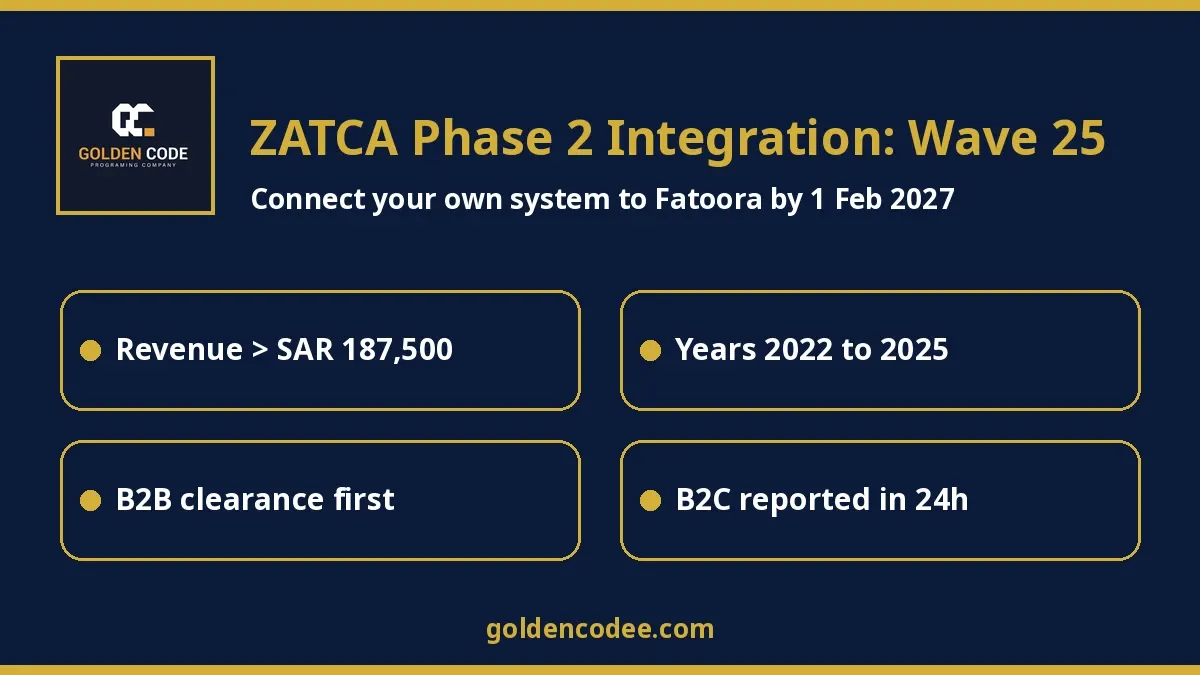

ZATCA Phase 2 Wave 25: businesses over SAR 187,500 in 2022-2025 must integrate with Fatoora by 1 Feb 2027. How to connect your own system.
Short answer: ZATCA's Wave 25 covers every VAT-registered business in Saudi Arabia whose VAT-subject revenue went over SAR 187,500 in 2022, 2023, 2024 or 2025. Those businesses must integrate their e-invoicing systems with ZATCA's Fatoora platform from 1 February 2027. Phase 2 means your system sends invoices to ZATCA through its API. B2B tax invoices are cleared before the buyer gets them, and B2C simplified invoices are reported within 24 hours. If you already run a custom ERP, POS or Laravel/PHP system, you can usually connect that system directly rather than replacing it.
By Mohamed Samy, senior Laravel/PHP backend developer (7 years). Published: 30 October 2026. Last updated: 30 October 2026.
Every few months a Saudi client sends me the same message: "We got the ZATCA notice. Our system was built for us years ago. Do we have to throw it away?" Almost always the answer is no. The invoice data already lives in their database. What is missing is the Phase 2 layer: the XML format, the cryptographic stamp, the certificates, and the calls to Fatoora. That layer can be added to a system you already own.
This guide is for owners and finance or IT leads at companies that fall into Wave 25, the latest wave announced as of today. It is especially for those whose invoicing runs on a custom system rather than an off-the-shelf accounting package. I only use facts I checked on ZATCA's own pages, the official gazette, and published tax-firm alerts. Everything is listed in the sources at the end.
What Wave 25 says, exactly
On 24 July 2026, ZATCA announced the criteria for Wave 25 of the Integration Phase:
- Who: all taxpayers whose revenues subject to VAT exceeded SAR 187,500 during 2022, 2023, 2024 or 2025.
- When: integration with the Fatoora platform by no later than 1 February 2027. ZATCA's English announcement says "by no later than February 1, 2027", while the decision in the official gazette, in Arabic, says the obligation applies "starting from 1/2/2027" (بداية من تاريخ 1/2/2027م). In practice, plan to be live on Fatoora by 1 February 2027 and follow the date in your own ZATCA notice.
- How you find out: ZATCA says it will notify every targeted taxpayer directly.
The legal basis is Administrative Decision No. 1448-99-238, published in the Umm Al-Qura official gazette on 24 July 2026. It applies to persons registered for VAT before the decision took effect who are subject to the E-Invoicing Regulation.
Two details are easy to miss:
- 2025 revenue now counts. EY's tax alert points out that this is the first wave to include calendar year 2025. A business founded in 2025, or one that stayed under earlier thresholds in 2022 to 2024, can still be in scope if its 2025 taxable revenue crossed SAR 187,500.
- The threshold keeps dropping. Wave 24 covered revenue above SAR 375,000 with a deadline of 30 June 2026. Wave 23, according to EY's table, covered SAR 750,000 with a 31 March 2026 deadline. Wave 25 halves the threshold again, so it reaches much smaller businesses than before.
ZATCA's roll-out page confirms the overall structure. Phase 1 (Generation) started on 4 December 2021. Phase 2 (Integration) has been enforced in waves since 1 January 2023, and ZATCA notifies each group at least six months before its integration date. If you are not in Wave 25, watch for the next announcement rather than assuming you are exempt.
What Phase 2 actually requires from your system
Phase 1 asked you to generate and store electronic invoices with a QR code. ZATCA Phase 2 integration is a different job. Here is what ZATCA's Detailed Technical Guideline and the implementation resolution require, in plain language:
- Integration by API. Your e-invoicing solution must connect to ZATCA's systems through the API ZATCA publishes.
- XML format. Invoices and notes are generated as XML, or as PDF/A-3 with the XML embedded. What you submit to ZATCA is the XML. The XML implementation standard is based on UBL 2.1.
- Clearance for B2B. Standard tax invoices, and their credit and debit notes, must be sent to Fatoora for clearance before you give them to the buyer. A standard invoice is valid only once ZATCA has cleared and stamped it.
- Reporting for B2C. Simplified invoices must be reported to ZATCA within 24 hours of being generated. Here your own system applies the cryptographic stamp and the QR code, not ZATCA.
- Device onboarding. Each e-invoicing unit (ZATCA calls it an EGS unit) is onboarded with a one-time password from the Fatoora portal. The OTP is valid for one hour. The unit sends a certificate signing request (CSR), receives a compliance CSID, passes compliance checks, and then receives a production CSID.
- Chaining and counters. Every document carries its own hash and counter value. ZATCA's guideline says a rejected invoice's UUID and counter value must not be reused; the corrected document gets new ones.
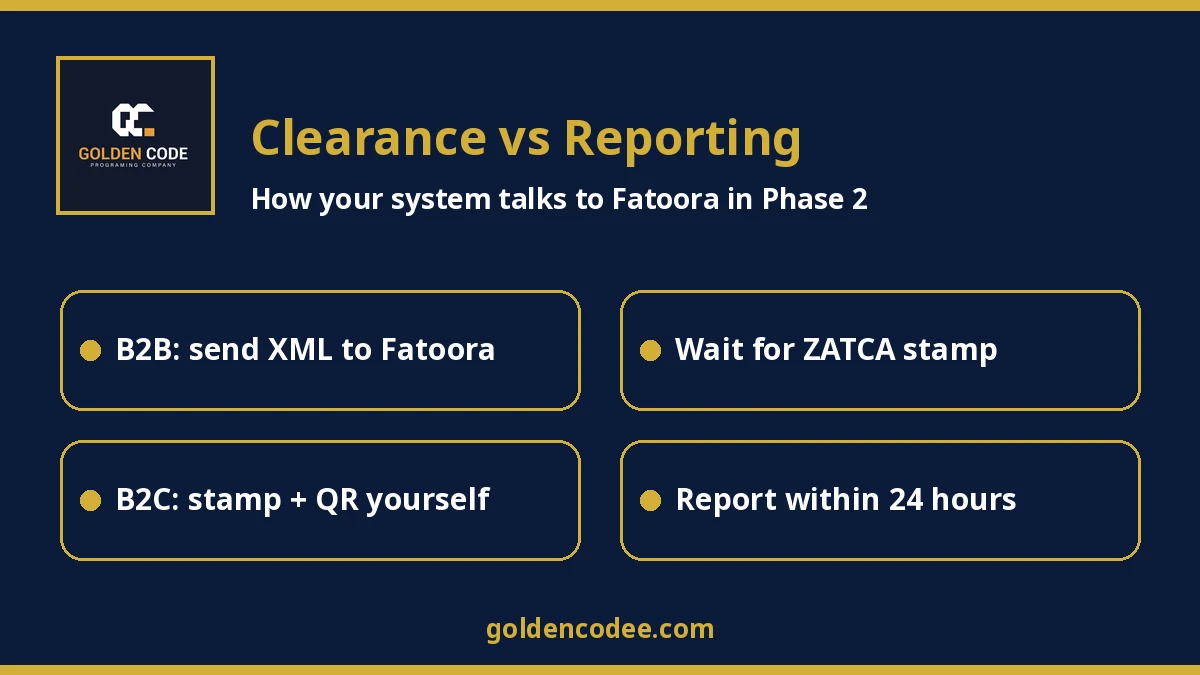
The flow diagram above is what I sketch on the first call with a client. B2B invoices wait for ZATCA's answer before going out. B2C invoices go to the customer immediately and are reported within the 24-hour window.
Custom integration vs switching to a ready system
You have two honest options, and neither is right for everyone.
Option A: move invoicing to a ready product. Many accounting and ERP products already ship with Fatoora connectors. Odoo, for example, documents its Saudi localization with ZATCA API integration and a Fatoora simulation mode. ZATCA also keeps a solution providers section on its site. If your invoicing is simple, your team already uses spreadsheets, and you have no strong system of your own, a ready product is often the fastest and cheapest route. I tell clients that directly.
Option B: integrate your existing system. This makes sense when:
- Your sales, POS, contracts or subscriptions already run on a custom system that the team relies on every day.
- Invoices are created automatically from your own business logic, such as recurring billing, branches, delivery apps or ecommerce orders.
- Moving invoicing to another product would mean double entry or a fragile sync between two systems.
- You want the Phase 2 logic inside your code, where you can test and change it, rather than in a separate tool.
In option B nothing is "replaced". ZATCA Phase 2 integration becomes a module we add to the system you have. It maps your invoice data to UBL 2.1 XML, signs it, calls the clearance or reporting API, stores ZATCA's response and stamped XML, and shows clear errors to your team.
If your problem is bigger than invoicing, for example stock in spreadsheets and accounting re-typing invoices, read my guide on custom ERP software in Egypt and the Gulf first. E-invoicing is often the trigger that exposes those gaps. For online stores, the custom ecommerce cost guide covers where invoicing sits in the checkout flow.
Mistakes I see in Phase 2 projects
- Waiting for the notice. The deadline is fixed in the decision. Notices only confirm it. Building, testing and onboarding devices takes time, and the last weeks before any deadline are busy for everyone.
- Treating B2B like B2C. If your system prints a standard invoice before clearance comes back, that invoice is not valid. The flow has to wait for ZATCA's response, and it needs a plan for when the API is slow or rejects the document.
- Forgetting devices. Every POS terminal, branch system or online channel that issues invoices under your VAT number needs its own onboarding and certificate.
- Reusing numbers after a rejection. A rejected invoice is fixed and resubmitted as a new document with a new UUID and counter value. Systems that just "edit and resend" cause trouble.
- No certificate tracking. Production CSIDs expire and need renewal. Someone has to own that date.
- Testing only the happy path. Credit notes, debit notes, discounts, zero-rated and export lines are where the XML rules bite.
How to integrate your existing system with Fatoora in 6 steps
Step 1: Confirm you are in Wave 25 and note the date
Check your VAT-subject revenue for 2022, 2023, 2024 and 2025 against SAR 187,500, and watch for ZATCA's notice. Write down 1 February 2027 as the hard date and plan to be live well before it.
Step 2: Inventory every system that issues invoices
List each POS, branch, ecommerce store, ERP or billing service that issues invoices under your VAT number. Note whether each one issues standard (B2B) invoices, simplified (B2C) invoices, or both.
Step 3: Map your invoice data to ZATCA's XML fields
Compare your database fields with the XML implementation standard and data dictionary. This shows what is missing, such as buyer details for B2B invoices or a seller identifier like the commercial registration number.
Step 4: Build the ZATCA module in your own system
Add XML generation, hashing and signing, the QR code, the clearance and reporting API calls, and storage for ZATCA's responses. Run them as background jobs with retries and clear error messages for staff.
Step 5: Test in the sandbox and pass compliance checks
Use ZATCA's Compliance and Enablement Toolbox (SDK), its validator and the integration sandbox. Generate an OTP, send the CSR, get the compliance CSID and pass the required test documents for each invoice type you issue.
Step 6: Go live, then monitor and renew
Request production CSIDs for each unit, switch over before the deadline, and watch rejected and warning responses daily at first. Track certificate expiry dates and update the module when ZATCA updates its specifications.
FAQ
What is ZATCA Wave 25?
It is the 25th group required to integrate with Fatoora under Phase 2. It covers taxpayers whose VAT-subject revenue exceeded SAR 187,500 in 2022, 2023, 2024 or 2025, with integration from 1 February 2027.
Does 2025 revenue count for Wave 25?
Yes. Wave 25 is the first wave whose criteria include 2025, so businesses that crossed SAR 187,500 only in 2025 can still be in scope.
What is the difference between clearance and reporting?
Clearance applies to standard B2B invoices, which must be cleared by ZATCA before going to the buyer. Reporting applies to simplified B2C invoices, which are reported within 24 hours of generation.
Can I keep my custom system for Phase 2?
In most cases, yes. A ZATCA module can be added to an existing ERP, POS or Laravel/PHP system, so it generates the XML, signs it and calls Fatoora's APIs itself.
Do I need to send PDF invoices to ZATCA?
No. You may give customers PDF/A-3 with embedded XML, but the document submitted to ZATCA is the XML.
What if my business is not in Wave 25?
ZATCA says it notifies each remaining group at least six months before its integration date. Keep Phase 1 compliance in place and follow ZATCA announcements.
Sources
- ZATCA: Wave 25 announcement, Wave 24 announcement, Roll-out phases, Detailed Technical Guideline (PDF), Implementation resolution (PDF), XML implementation standard (PDF), E-invoicing home
- Official gazette: Umm Al-Qura, Decision 1448-99-238
- Tax alerts: EY, KPMG
- Ready-product comparison: Odoo Saudi Arabia localization
All facts were checked on these pages on 30 October 2026. ZATCA can update its rules, so always confirm against your own notice. This article is technical guidance, not tax advice.
Need your own system connected to Fatoora?
If you are in Wave 25 and your invoicing runs on a system built for your business, send us a short description: which systems issue invoices, roughly how many per day, and whether they are B2B, B2C or both. We will tell you honestly whether integrating your current system or moving to a ready product makes more sense. We build the integration as a custom module inside your existing system. We will send a quote after we review your system. You can reach the Golden Code team through our contact page.
About the author: Mohamed Samy is a senior backend developer at Golden Code with 7 years of experience building custom Laravel and PHP business systems, integrations and automation for companies in Egypt and the Gulf.